Python 3.10+Local-first test intelligence

Still reading static test reports? Turn them into actionable insights.

QA Lens turns Allure, Extent, JUnit, Playwright, and Cypress reports into local run history, root-cause clusters, risk signals, and deterministic answers.

qalens quickstart
$pip install qalens
Install the CLI with the bundled web UI. No Node.js required.
$qalens ingest tests/fixtures/allure_sample --db ./qalens.db
Or point it at your own Allure, Extent, JUnit, TestNG, Playwright, or Cypress report.
$qalens serve --db ./qalens.db
Open http://127.0.0.1:8080 to review runs, incidents, risk, compare, and chat.
Reads reports from Allure Extent JUnit XML TestNG XML Playwright JSON Cypress / Mocha
What QA Lens answers

The questions static reports leave unanswered.

QA Lens is built around the triage questions teams ask after every run, before they know which failure deserves attention.

What failed in the latest run?See the failures that matter first instead of scanning a static pass/fail report.
Which failures are related?Group recurring patterns by normalized signatures and likely root cause.
Is this flaky or a real bug?Use run history to score flakiness and stability instead of guessing from one run.
What changed since last run?Compare regressions, recoveries, owners, suites, modules, or explicit run ranges.
Which tests are highest risk?Surface tests likely to fail or flip before they derail the next release.
What do I tell the team?Generate concise decision summaries and shareable HTML, Markdown, or JSON reports.
Static reports vs QA Lens

Same failed run. Sharper signal.

See the same failed run before and after QA Lens turns it into grouped, queryable, release-ready signal.

Without QA Lens
47 failed testsno context or grouping
Static HTML reportdead-end artifact
Guessing: flaky or real?one run is not enough
Manual release summarytime-consuming
With QA Lens
3 root-cause clustersranked by impact
Queryable run historyacross every CI run
Flakiness + risk signalsper test, from history
Shareable triage reportHTML, Markdown, or JSON export
Without QA Lens
47 failed testsno context or grouping
With QA Lens
3 root-cause clustersranked by impact
Without QA Lens
Static HTML reportdead-end artifact
With QA Lens
Queryable run historyacross every CI run
Without QA Lens
Guessing: flaky or real?one run is not enough
With QA Lens
Flakiness + risk signalsper test, from history
Without QA Lens
Manual release summarytime-consuming
With QA Lens
Shareable triage reportHTML, Markdown, or JSON export
Features

From static report noise to fix-first triage.

See how QA Lens turns noisy failures into root-cause clusters, priority signals, and a clear next step.

How QA Lens Works

From raw reports to ranked intelligence.

Product surface

Every view answers the next QA question.

Move from run history to incident detail, risk prediction, comparison, and natural-language investigation without exporting spreadsheets.
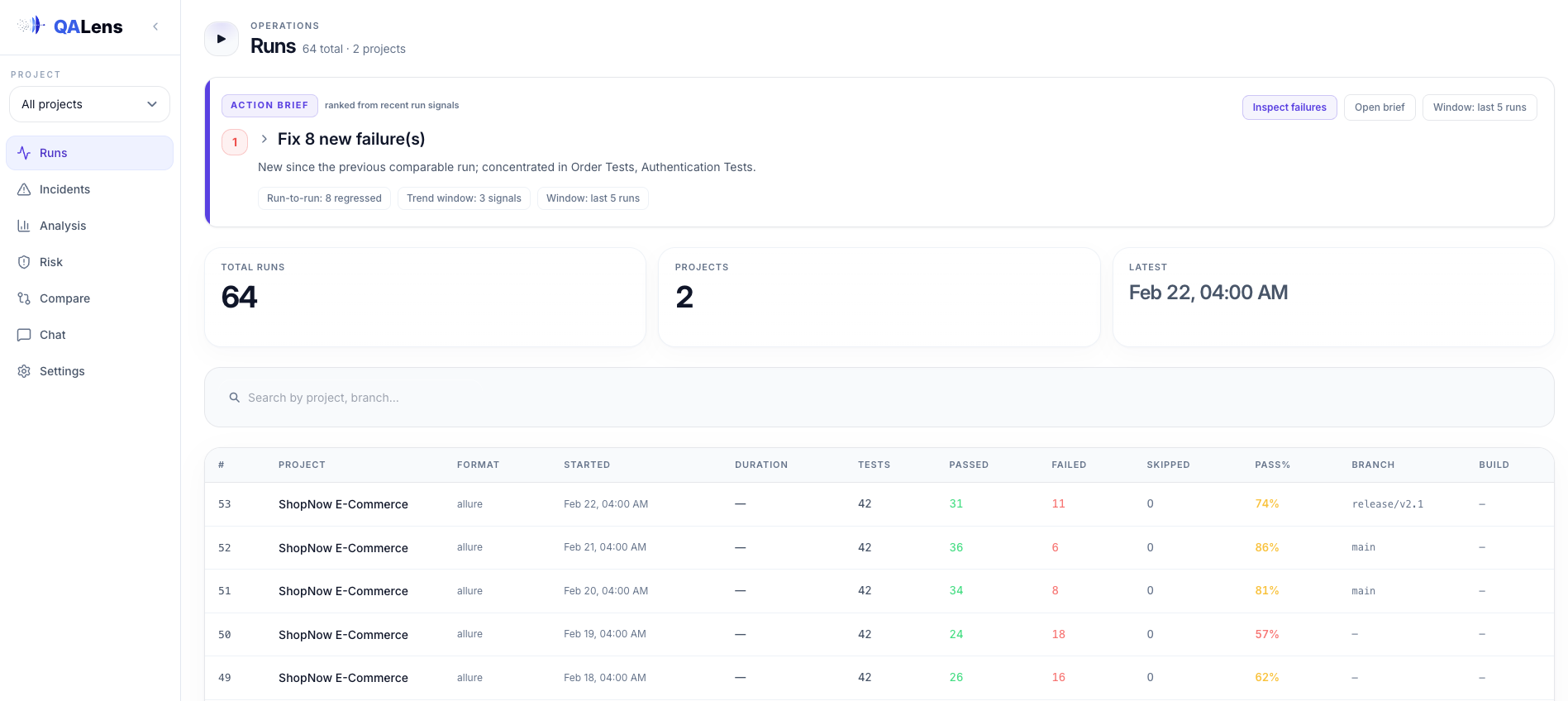
localhost:8080 / runs
QA Lens runs page
Open Source

Open, local-first, and safe by default.

The product posture is simple: keep private QA data local, make the analysis explainable, and integrate with the report formats teams already have.

Local-first web server

By default, qalens serve binds to 127.0.0.1 and requires no login for local use.

SQLite-backed history

The database is a standard SQLite file that can be copied, backed up, and reused across CLI and web workflows.

Deterministic first

Classification, clustering, comparison, risk scoring, flakiness, trends, reports, and many questions work without an LLM.

LLM opt-in

QA Lens does not ship an LLM. Cloud providers are disabled unless explicitly allowed.

Untrusted report safety

Security defaults include file type validation, raster image validation, SVG rejection, and secret redaction before LLM submission.

Shareable outputs

Generate standalone HTML, Markdown, and JSON reports when a release review needs more than a dashboard tab.

Ready to evaluate

Explore the hosted demo with sample test data.

The demo is preloaded for evaluation. To analyze your own private reports, run QA Lens locally from the install docs.